

Core Principles of High-Converting Store Design
Learn the fundamental design patterns that successful online stores use to guide visitors toward checkout and increase average order value.
Read ArticleQuality product images drive conversions. We’ll cover what makes photos sell, how to optimize them for fast loading, and technical specs for different platforms.

Here’s the reality: when someone visits your online store, they can’t touch or hold your products. That means photos become everything. They’re your sales team, your product description, your proof of quality all rolled into one. Bad images? Visitors bounce. Good images? They buy.
The challenge isn’t just taking decent photos anymore — it’s making sure those images work everywhere. Your mobile customers need fast-loading files. Your desktop shoppers want to zoom in on details. Search engines need properly formatted images. And you need consistent quality across hundreds of products without going bankrupt on a professional photographer.


You don’t need expensive gear to start. What you really need is understanding light. Most e-commerce photography fails because the lighting’s wrong. You’ll get harsh shadows, washed-out colors, or products that look flat and lifeless.
The setup that works best uses three light sources: a key light (your main light, positioned 45 degrees to the side), a fill light (opposite the key light to reduce shadows), and a back light (behind the product to separate it from the background). Sound complicated? It’s not. You can achieve this with basic LED panels that cost less than $200.
Background matters too. White, gray, or light backgrounds work for most products because they’re clean and focus attention on what you’re selling. Lifestyle backgrounds (showing the product in use) work when you want to tell a story — like shoes on an actual person’s feet rather than floating in white space.
Pro tip: A simple white poster board as backdrop costs $5 and solves 80% of your background needs. Add a second gray one for variety. Done.
You’ve got your shots. Now comes the confusing part — what format, what size, what quality level? Here’s what your e-commerce platform actually needs:
Product thumbnails need at least 300×300 pixels. Main product images should be 1000×1000 pixels or larger — this lets customers zoom without losing detail. For retina displays (high-DPI screens), aim for 2000×2000 pixels if possible.
Use WebP format when your platform supports it (smaller files, better quality). If not, JPEG works fine. Keep file sizes under 200KB per image. Anything larger and mobile users will wait for pages to load — and they won’t.
Save images in sRGB color space. This is the standard for web. It ensures colors look consistent whether someone’s viewing on a phone, laptop, or tablet.

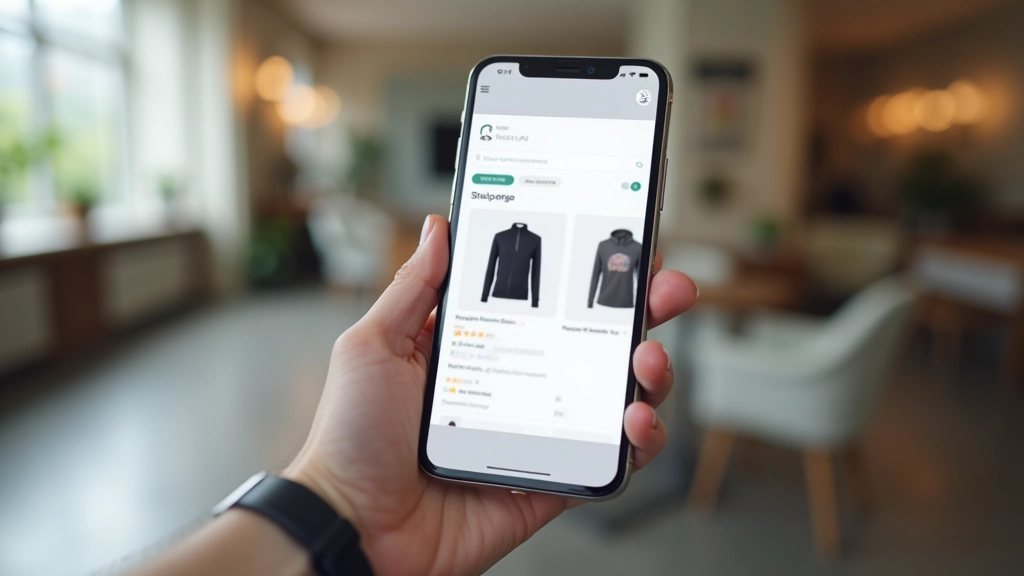
Here’s what kills conversion rates: slow pages. When a product page takes more than 3 seconds to load, you lose customers. Image optimization is your fastest way to fix this.
Compression is the main tool. You want to remove unnecessary data from your images without destroying quality. This is where the right tools matter. Use TinyPNG or ImageOptim — they’re free and they work. A 2MB image usually compresses to 150-300KB without looking worse to human eyes.
Lazy loading is another win. This means images below the fold (stuff users have to scroll to see) don’t load until they scroll down. Your above-the-fold images load immediately, making the page feel fast even if you’ve got dozens of product photos.
Responsive images matter too. Why send a 2000×2000 pixel image
to someone on a 375-pixel-wide phone screen? Use the
srcset
attribute to serve different image sizes based on device. Mobile
gets a smaller file. Desktop gets full quality. Everyone wins.
Different platforms have different expectations. Here’s what the major ones want:
Shopify recommends 1200×1500 pixels for best results (4:5 aspect ratio). They automatically create thumbnails and zoomed versions, so one high-quality image does the heavy lifting. Upload as JPEG or PNG.
WooCommerce stores the original file and creates multiple sizes automatically. Upload your highest-quality image (at least 1000×1000). The system handles resizing for thumbnails and product pages.
Google wants at least 800×800 pixels. Images must be clear, well-lit, and show the product clearly. Avoid lifestyle shots or cluttered backgrounds here — they’re for your store. Google Shopping needs simple, direct product photos.
Instagram prefers 1080×1350 pixels (portrait) or 1080×1080 (square). Facebook wants 1200×628 pixels for best reach. These are smaller than your web images, so you’ll need to create versions specifically for social sharing.

Product photography for e-commerce isn’t rocket science, but it does require attention to detail. You need decent lighting (most critical). You need properly sized, optimized files. And you need to understand what each platform expects from your images.
Start simple: invest in basic lighting, shoot on a clean background, and compress your files. As you grow, you’ll add lifestyle shots, multiple angles, and platform-specific variations. But the fundamentals stay the same — good light, sharp focus, and images optimized for actual human beings shopping on real devices.
This article is educational and informational. The technical specifications and recommendations are based on current e-commerce best practices as of February 2026. Specific platform requirements may change over time. Always refer to your platform’s official documentation for the most current image requirements. Photography and optimization results will vary depending on your equipment, skills, products, and specific platform implementation. We recommend testing your images on actual devices and platforms before finalizing your product listings.